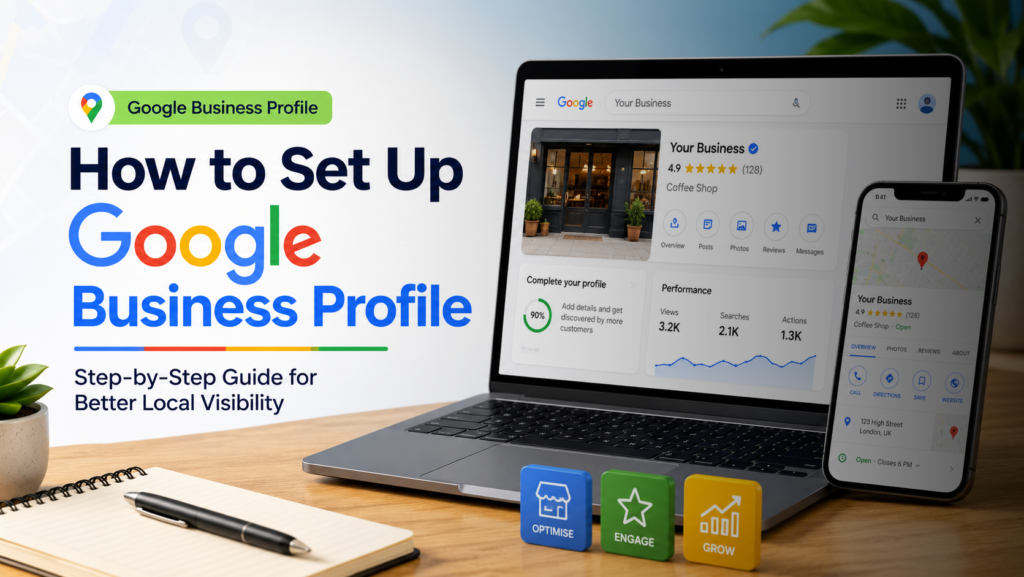
Knowing how to set up Google Business Profile correctly is the single highest-impact free action any local business can take online. A fully optimised Google Business Profile puts your business on Google Maps, makes your details appear directly in search results, and generates calls, direction requests, and website visits — all without paying for a single ad
Here's a clear, step-by-step walkthrough for setting up your Google Business Profile from scratch and what to do after launch to make it actually rank
In This Guide
43%
more direction requests for profiles with photos vs those without
35%
more website clicks from fully completed profiles
Free
Google Business Profile costs nothing to set up and manage
£1.50–£2.50
Average CPC for UK SMBs across most industries in 2026
£500/mo
Minimum ad spend to generate meaningful optimisation data
+15–30%
Higher CPCs for London campaigns vs UK average
Swipe to see more →
What Is Google Business Profile
Google Business Profile (formerly Google My Business) is a free tool that controls how your business appears in Google Search and Google Maps. When someone searches your business name — or a service you offer near your location — your profile is what appears in the information panel on the right, and in the Map Pack results at the top of the page.
Most small businesses have a profile that’s either never been claimed, filled out halfway, or set up years ago and never touched since. Every one of those scenarios costs you visibility that a competitor with a better-managed profile is picking up instead.
Your Google Business Profile is your most valuable free marketing asset. Most businesses treat it like an afterthought.
Step 1: Create or Claim Your Profile
Go to business.google.com and sign in with a Google account connected to your business. Search for your business name. If a listing already exists (Google sometimes auto-generates them), claim it. If not, create a new one from scratch.
What to check when claiming an existing listing:
- Confirm the business name is spelled exactly as you want it to appear
- Check the address matches your actual location precisely
- Verify the phone number is current and correct
- Look for any incorrect categories or descriptions left from auto-generation
- Check that no previous owner or employee still has admin access
Don't skip the claim step. An unclaimed profile is a profile you don't control — and one a competitor could request access to.
Step 2: Choose the Right Business Category
Your primary business category is the single most important targeting decision in your entire Google Business Profile setup. It tells Google what type of business you are, which directly determines which local searches your profile is eligible to appear in.
How to choose your categories correctly
- Choose the most specific category that accurately describes your primary service
- "Digital Marketing Agency" beats "Marketing Agency" — specificity always wins
- Add up to 9 secondary categories for additional services you offer
- Never add categories for services you don't actually provide — Google penalises mismatches
- Check what category your best-ranked local competitors are using
Category selection isn't a checkbox — it's the targeting foundation your entire local visibility is built on.
Step 3: Complete Every Section Without Shortcuts
Google rewards completeness. Profiles with every section filled rank higher in local results than partially completed profiles — even when other factors are equal. Don’t skip anything.
Every section that needs completing:
- Business name: Exactly as it appears on your signage and website
- Address: Including floor or unit number if applicable
- Phone number: Local number preferred over a 0800/0300 number for trust signals
- Website URL: Link to your homepage or a specific service landing page
- Opening hours: Including special hours for bank holidays
- Business description: 750 characters, keyword-rich but genuinely readable
- Attributes: Accessibility, payment methods, parking, and other relevant features
The right keyword at the wrong intent is still the wrong keyword. Match what you publish to what the searcher actually wants to find.
Step 4: Upload Photos Consistently
Businesses with photos receive 42% more direction requests and 35% more website clicks than those without. But the keyword here is consistently — a burst of photos at setup followed by months of nothing signals an inactive profile.
The photo strategy that works:

- Start with at least 10 photos covering exterior, interior, team, and products or services
- Add 4 to 6 new photos per month as an ongoing habit
- Use real photos — stock images are flagged and deprioritised by Google's algorithm
- Name your image files descriptively before uploading (e.g. "digital-marketing-agency-ilford-office.jpg")
- Add a cover photo and logo that match your website branding
Fresh photos signal an active, trustworthy business. Google rewards activity with visibility.
Step 5: Add Your Products and Services
The Products and Services sections of your Google Business Profile are significantly underused by most small businesses — and that’s exactly why completing them is a competitive advantage.

What to include:
- Every core service with a clear, keyword-rich name and description
- Pricing where possible — even a "from £X" range reduces friction for potential customers
- Product photos linked to each listing where relevant
- Service categories that mirror your website navigation for consistency
If Google doesn't know what you sell, it can't show you to the people searching for it.

Step 6: Build and Manage Reviews Actively
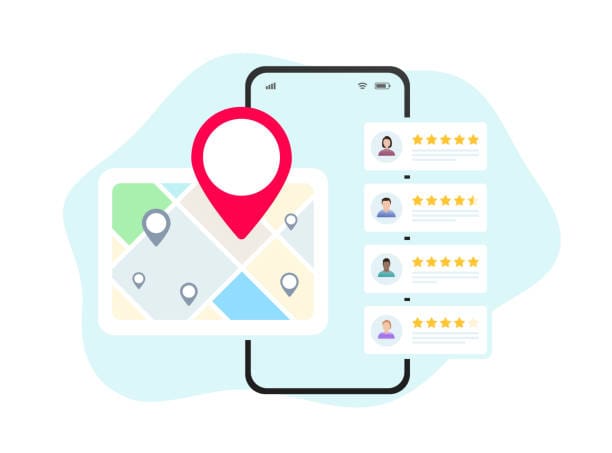
Reviews are one of the three most significant Google Business Profile ranking factors. Both the number of reviews and the recency of new reviews directly influence where you appear in local search results.
What makes a backlink genuinely valuable:
- It comes from a website with genuine domain authority — news outlets, industry publications, established businesses
- The linking page is topically relevant to the content being linked to
- The anchor text is descriptive rather than generic ("digital marketing guide" beats "click here")
- It's placed editorially — earned because the content deserved it, not bought or exchanged
- The linking site itself is actively crawled and trusted by Google
Step 7: Post Weekly and Stay Active
Google Posts are short updates — offers, news, events, or tips — that appear directly on your Business Profile in search results. Active posting signals to Google that your profile is current and your business is engaged. Profiles that post regularly rank consistently higher than those that don’t.
What to post and how often:
- Aim for at least one Google Post per week
- Mix offer posts, news or updates, and helpful tips
- Use a clear call to action on every post — "Book Now," "Learn More," "Call Us"
- Posts expire after 7 days for most types — consistency beats batch-posting
- Seasonal and time-sensitive offers perform particularly well
KashTag Note
KashTag Media manages Google Business Profile optimisation as part of our local SEO services — including setup, category selection, ongoing photo management, review strategy, and weekly posting. See our affordable local SEO page for pricing.
Final Word: Set It Up Properly, Then Keep It Active
The most common mistake businesses make with Google Business Profile is treating it as a one-time task. The businesses that appear in the Google Map Pack consistently are the ones that post regularly, add new photos monthly, respond to every review, and update their profile whenever anything changes.
KashTag Media helps small businesses set up, optimise, and actively manage their Google Business Profile as part of a broader local SEO strategy — so that local visibility compounds over time rather than stagnating after the initial setup.
Have a Project in mind?
Book a free 30-minute consultation with KashTag Media — no pitch deck, no pressure, just an honest conversation.
Let us address your questions today!
Frequently Asked Questions
Google Business Profile (formerly Google My Business) is a free tool from Google that lets businesses manage how they appear in Google Search and Google Maps. A completed profile shows your name, address, phone number, opening hours, photos, reviews, and more — directly in search results, before users even visit your website.
Yes. Google Business Profile is completely free to set up and manage. It is one of the highest-ROI free tools available to any local business — a well-optimised profile consistently outperforms expensive directory listings in generating local leads.
After verification, most profiles appear in Google Search and Maps within a few days to a week. Ranking prominently in the Map Pack for competitive search terms typically takes 4 to 12 weeks of consistent profile activity and review growth.
KashTag Media offers Google Business Profile setup and optimisation as part of our local SEO services. We handle everything from initial setup and category selection to ongoing photo uploads, posting, and review management.